Chapter
## chapter 10 Error Handling & Debugging
The exception is normally an object that is thrown at runtime. Exception Handling is the process to handle the runtime errors. There may occur exception any time in your web application. So handling exceptions is a safer side for the web developer. In JSP, there are two ways to perform exception handling:
- By errorPage and isErrorPage attributes of page directive
- By
<error-page>element in web.xml file
Example of exception handling in jsp by the elements of page directive In this case, you must define and create a page to handle the exceptions, as in the error.jsp page. The pages where may occur exception, define the errorPage attribute of page directive, as in the process.jsp page.
There are 3 files:
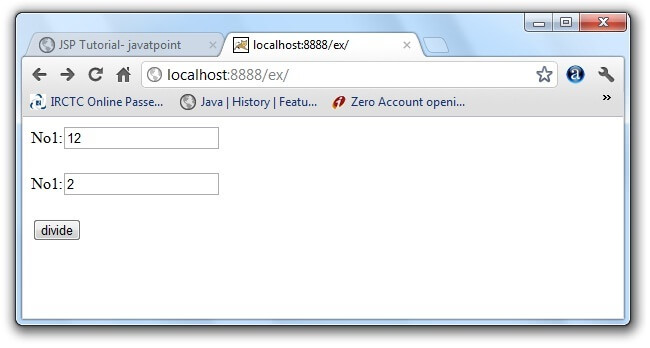
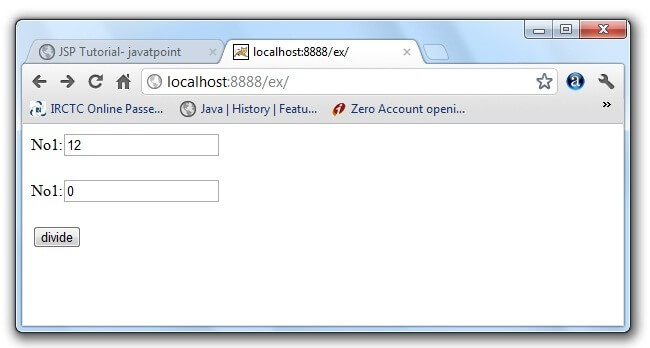
- index.jsp for input values
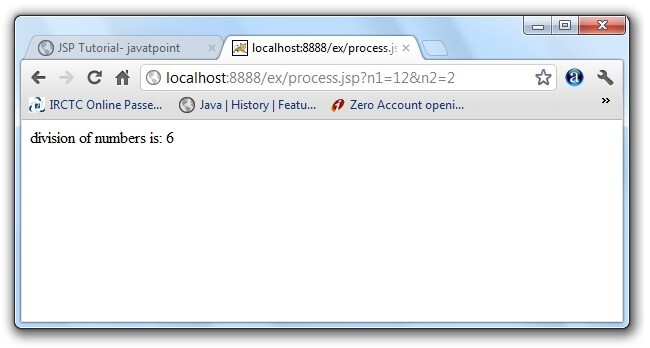
- process.jsp for dividing the two numbers and displaying the result
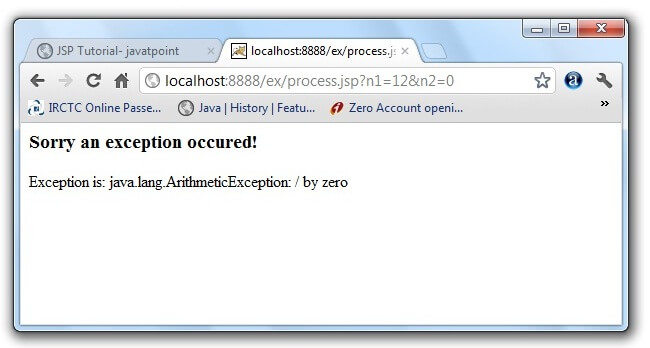
- error.jsp for handling the exception
- index.jsp
<form action="process.jsp">
No1:<input type="text" name="n1" /><br/><br/>
No1:<input type="text" name="n2" /><br/><br/>
<input type="submit" value="divide"/>
</form>
process.jsp
<%@ page errorPage="error.jsp" %>
<%
String num1=request.getParameter(“n1”);
String num2=request.getParameter(“n2”);
int a=Integer.parseInt(num1);
int b=Integer.parseInt(num2);
int c=a/b;
out.print(“division of numbers is: “+c);
%>
error.jsp
<%@ page isErrorPage="true" %>
<h3>Sorry an exception occured!</h3>
Exception is: <%= exception %>
:
Example of exception handling in jsp by specifying the error-page element in web.xml file
This approach is better because you don’t need to specify the errorPage attribute in each jsp page. Specifying the single entry in the web.xml file will handle the exception. In this case, either specify exception-type or error-code with the location element. If you want to handle all the exception, you will have to specify the java.lang.Exception in the exception-type element. Let’s see the simple example:
There are 4 files:
- web.xml file for specifying the error-page element
- index.jsp for input values
- process.jsp for dividing the two numbers and displaying the result
- error.jsp for displaying the exception
1) web.xml file if you want to handle any exception
<web-app>
<error-page>
<exception-type>java.lang.Exception</exception-type>
<location>/error.jsp</location>
</error-page>
</web-app>
This approach is better if you want to handle any exception. If you know any specific error code and you want to handle that exception, specify the error-code element instead of exception-type as given below:
1) web.xml file if you want to handle the exception for a specific error code
`
2) index.jsp file is same as in the above example
3) process.jsp Now, you don’t need to specify the errorPage attribute of page directive in the jsp page.
`<%@ page errorPage=”error.jsp” %>
<%
String num1=request.getParameter(“n1”);
String num2=request.getParameter(“n2”);
int a=Integer.parseInt(num1);
int b=Integer.parseInt(num2);
int c=a/b;
out.print(“division of numbers is: “+c);
%>
4) error.jsp file is same as in the above example
Dealing with Syntax Errors
- Element Syntax Errors
- – Improperly terminated directive
- – Improperly terminated action
- – Mistyped attribute name
- – Missing end quote in attribute value
- Expression Language Syntax Errors
- Missing both curly braces
- Missing end curly brace
- Misspelled property name
- Misspelled parameter name
